May 22, 2026



 Written by Spedra Team
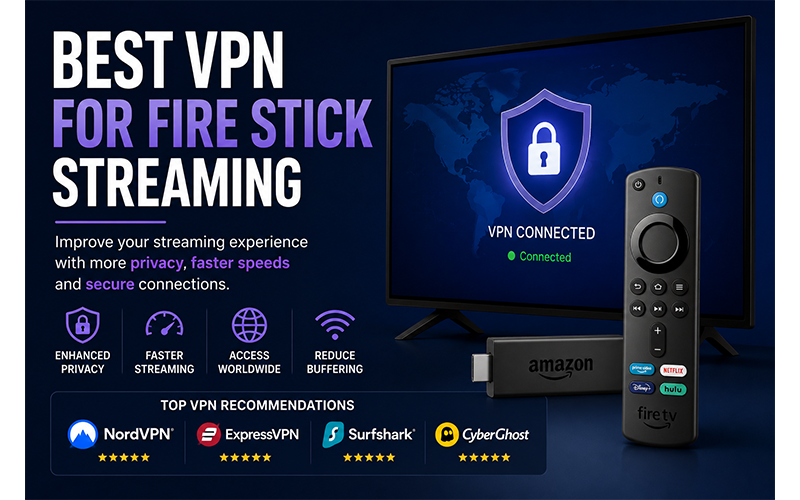
Using a VPN on your Amazon Fire Stick can significantly improve your streaming experience by increasing privacy, reducing ISP restrictions, and helping avoid buffering issues. Many IPTV and streaming users now use VPN services to achieve more stable and secure connections while watching live TV, movies, and series.
In this guide, we will explain the benefits of using a VPN on Fire Stick and recommend some of the best VPN options for streaming in 2026.
A VPN (Virtual Private Network) encrypts your internet connection and routes your traffic through secure servers located in different countries.
When using a VPN on Fire Stick, users can:
Many IPTV users experience:
A VPN may help reduce these issues by providing a more stable and private connection.
VPNs can help bypass internet provider restrictions that may affect IPTV performance.
Your internet activity becomes encrypted and more secure.
Some VPN servers provide faster routes for streaming traffic.
VPNs allow connections through different countries and server locations.
NordVPN is one of the most popular VPN services for Fire Stick users because of its:
ExpressVPN is known for:
Surfshark is a popular low-cost VPN option with strong streaming performance.
CyberGhost provides streaming-optimised servers designed for media users.
Installing a VPN on Fire Stick is simple.
Search for your preferred VPN application.
Download and install the application directly on your Fire Stick.
Open the VPN app and sign in with your account.
Choose a nearby server for the best streaming performance.
For the best IPTV experience:
In some situations, yes.
If your internet provider limits streaming traffic, a VPN may help improve connection stability and reduce buffering problems. However, internet speed, server quality, and device performance also play an important role.
Using a VPN on Fire Stick is one of the best ways to improve streaming privacy, reduce ISP restrictions, and enhance IPTV performance. Choosing a reliable VPN service with fast servers and Fire Stick support can greatly improve your overall streaming experience in 2026.
For the best results:

Helping our communities connect, work, & thrive since 1952
Spedra Plus, all rights reserved