May 22, 2026



 Written by Spedra Team
Buffering and freezing issues may sometimes happen while watching live TV, movies, or series through IPTV applications. In most cases, the problem is temporary and can be fixed easily by following a few simple troubleshooting steps.
Buffering or interruptions may happen because of:
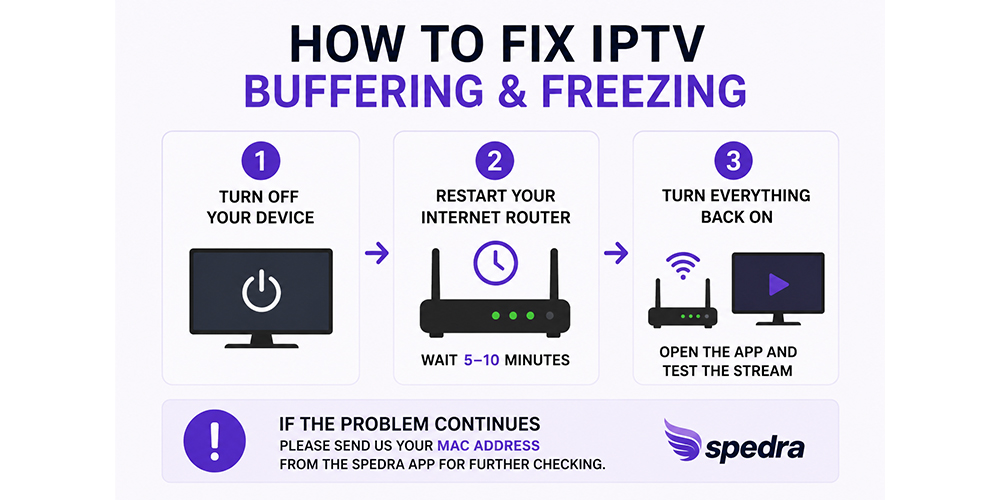
If you experience continuous buffering or freezing, we recommend following these steps first.
Completely power off your:
Turn off your internet router or modem for approximately:
This helps refresh your internet connection and may solve temporary network issues.
After waiting:
In many cases, the buffering problem will be resolved after restarting both the internet connection and the device.
If buffering or freezing continues after restarting everything, please contact our support team and send your MAC Address for further checking.
This is especially important if you are using the Spedra application.
To locate your MAC Address:
The MAC Address usually looks similar to this:
00:1A:79:XX:XX:XX
The MAC Address helps our technical team to:
For the best IPTV experience:
Most IPTV buffering issues can be fixed by simply restarting your internet router and device for a few minutes. If the problem continues, sending your MAC Address through the Spedra application will help our technical team investigate and resolve the issue more quickly.

Helping our communities connect, work, & thrive since 1952

Spedra Plus, all rights reserved